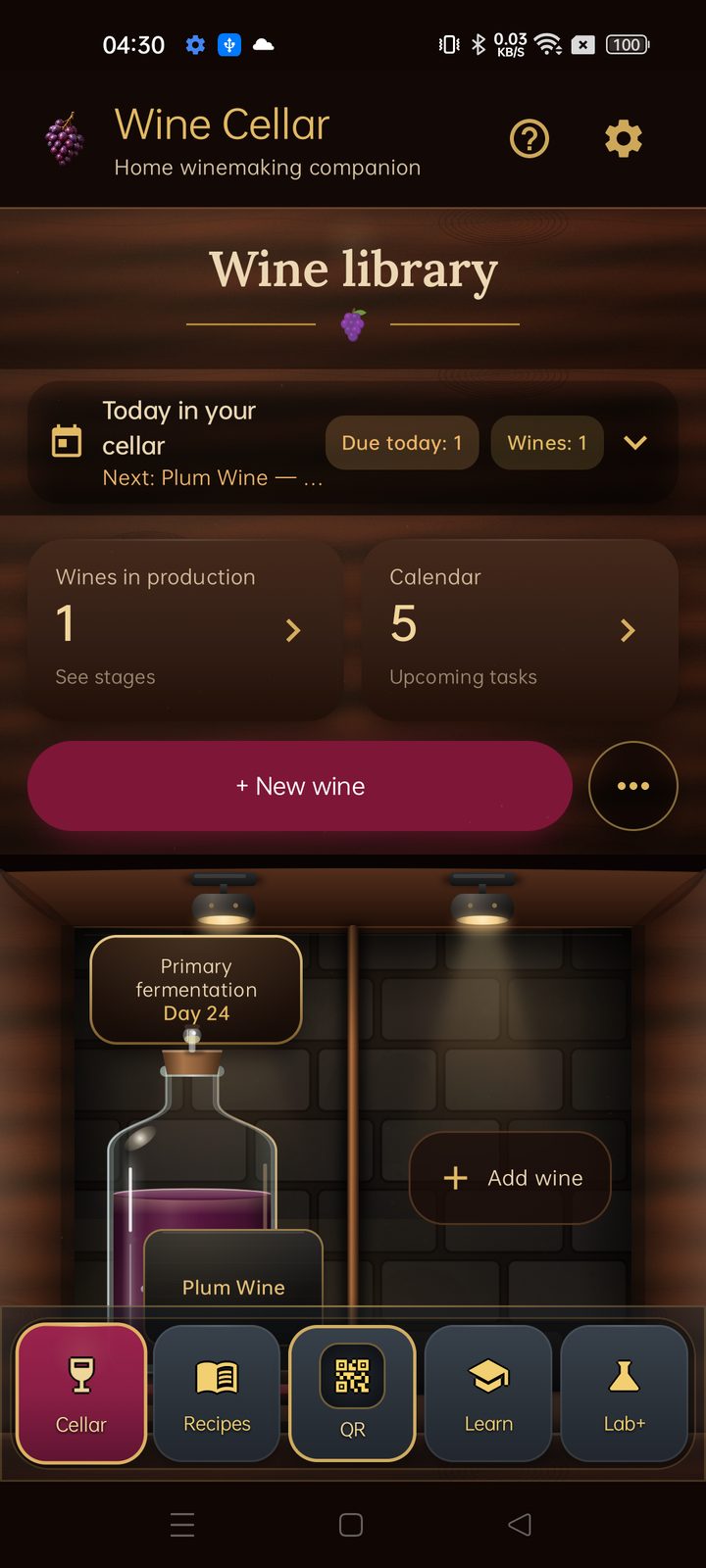
Visual cellar
Your batches on shelves, each with its stage and day count.
Home winemaking companion for Android
Wine Cellar is the logbook for home winemakers. Track each batch from the first recipe to bottling, record OG and SG, calculate ABV, and get reminded when it is time to rack.
See it in action
Watch the whole film or jump straight to the part you care about.
Film in English · 1080p · 2 min
How it works
Real screens from the app, in the order you will use them.
Choose a built-in recipe or write your own. Enter how much fruit you have and pick dry, semi-sweet or sweet; Wine Cellar scales the sugar, water and syrup doses.
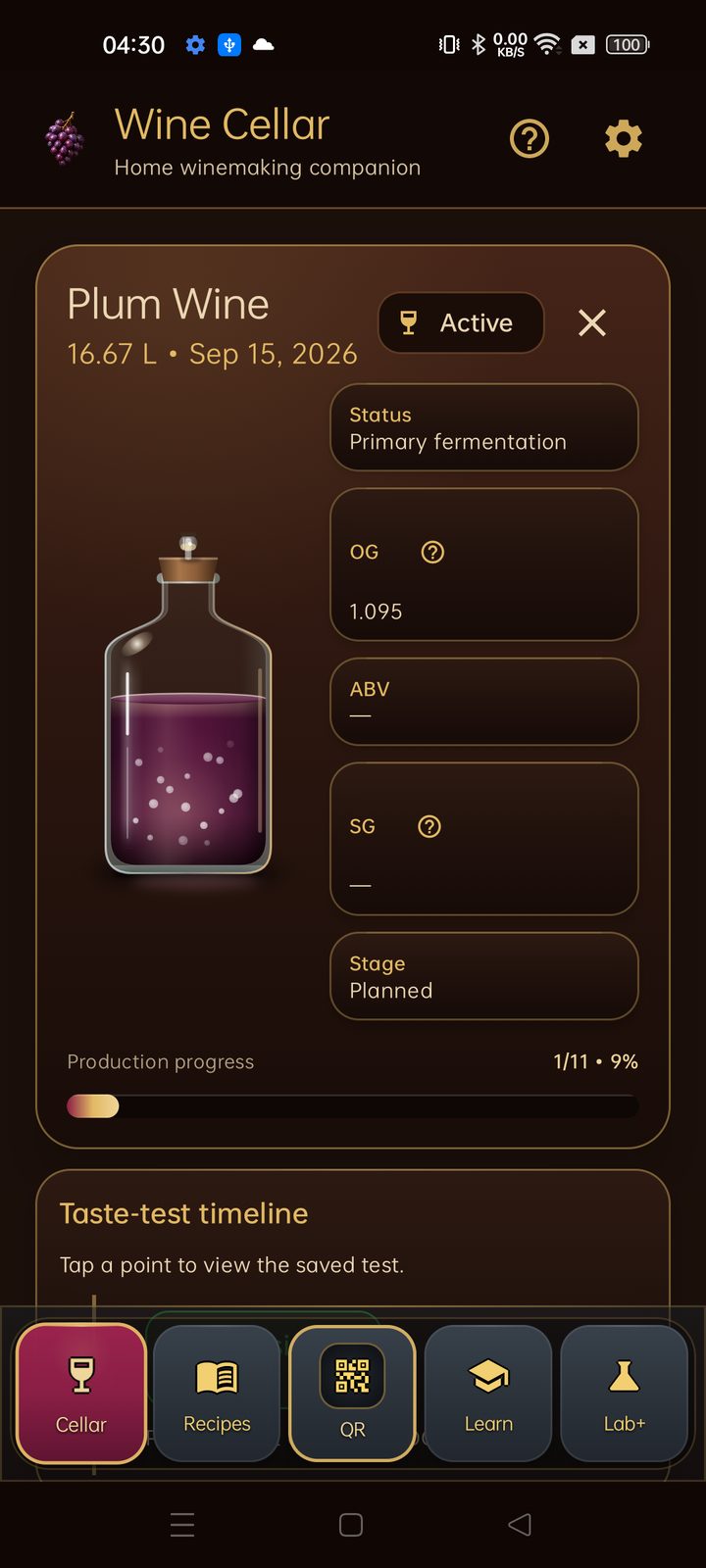
Each wine sits on its own shelf with its volume, start date, stage and readings. Open the jar to see exactly where that batch stands.
The calendar plans every step for every batch and reminds you when it is time to measure, rack, add syrup or bottle.
Calculators for OG and FG to ABV, SG, Brix and °Blg, temperature correction and sugar additions. Every term has a ? that explains it.
Step-by-step guides for the hydrometer, racking, filtration, sanitation and bottling, plus an equipment checklist.
Features
One app for planning, measuring and recording, built for people who make wine at home.
Your batches on shelves, each with its stage and day count.
Built-in recipes by difficulty, plus your own.
Each stage as a checklist with dates and the readings it needs.
Every task for every batch, with notifications.
ABV, SG, Brix/°Blg, temperature and sugar calculators.
Print a QR label for each wine and scan it to open its card.
Keep a copy of your wines, readings and recipes.
A dark cellar theme or a light parchment one.
Screens
Adult hobby winemakers who make fruit or grape wine at home and want to keep track of their batches. Beginners get guides; experienced makers get one place for many batches.
A hydrometer lets you use the app fully, because readings drive the ABV and bottling-readiness checks. The equipment checklist lists the rest.
It is a one-time purchase on Google Play, with no subscription and no ads. The price in your country is shown on the store page.
English, Polish, German, French, Spanish, Portuguese, Italian and Czech. You can switch language in Settings at any time.
Not at the moment. Wine Cellar is available for Android phones and tablets.
Write to supportwinecellar1@gmail.com. The tutorial can be replayed any time from Settings.
Wine Cellar for Android. One purchase, every batch.
Get it onGoogle Play